The control hub
What the Thraxel Lighting app actually controls
Every permanent lighting install is app-controlled from day one. Here is what the Thraxel Lighting app does day to day, and what it hands off to voice assistants and whole-home systems.

The core job of the app
The Thraxel Lighting app is the primary interface for a permanent RGBWW system, detailed in full at thraxel.com/permanent/. It picks colors from a palette of 16 million, dials in the dedicated 2700K warm white, and switches between saved scenes, all from a phone rather than a ladder.
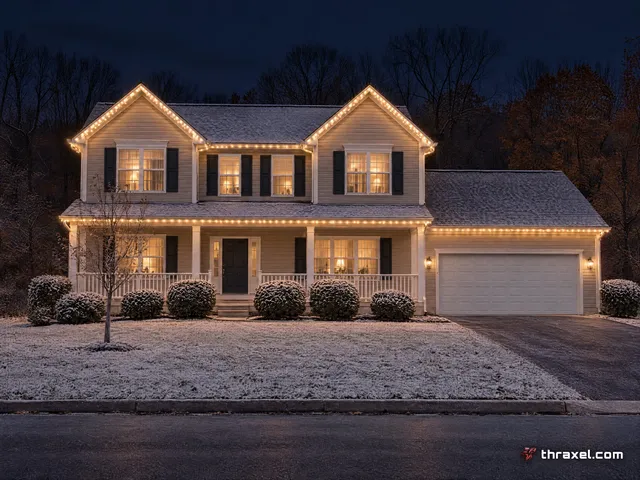
Every pixel on the roofline is individually addressable, so the app is not just an on-off switch. It can run a single warm-white wash on one zone while a different zone runs a color scene, useful on a house with a porch, a garage and a main roofline all lit separately.
The app is handed over during the final walkthrough after install, already configured with the zones specific to that property, not a generic template.
Scenes built into the system
Named scenes cover the calendar without a homeowner building anything from scratch: Everyday Warm for a normal night, Game Day, Christmas, July 4th and Halloween are on the site, along with Valentine's Day and St. Patrick's Day scenes for the smaller holidays.
Switching scenes takes a tap, not a redesign. A house can run red and green through the holidays, black and gold on a Sunday afternoon, then back to Everyday Warm the next morning, all from the same pixels and the same app.
Music sync is part of the same control set, letting a zone react to audio for parties or events rather than just holding a static scene.
- Everyday Warm, Game Day, Christmas, July 4th and Halloween scenes
- Valentine's Day and St. Patrick's Day options
- Music sync for events
Scheduling and automation
Beyond manual scene switching, the app handles schedules, so lights come on at a set time or around sunset without anyone opening the app that night. That scheduling function is covered in more depth at thraxel.com/blog/scheduling-and-sunset-automation/.
Zone-level control means a schedule can differ by area. Landscape and pool zones might run later into the night than a front roofline in a quiet HOA neighborhood with early lighting curfews.
Where voice and whole-home control come in
The app is not the only way in. Alexa, Google Home and Apple HomeKit pair with the system for voice commands on the handful of things a household does daily, detailed at thraxel.com/blog/alexa-google-homekit-lighting-control/.
Properties on Control4 fold the lighting system into that whole-home platform instead, covered separately at thraxel.com/blog/control4-and-whole-home-integration/. The app stays available underneath either integration for anything more detailed than a voice command handles.
Camper and RV customers run a Bluetooth version of the same control concept with no Wi-Fi required, since a moving vehicle cannot depend on a home network.
What it does not require
No separate hub, bridge or controller box needs to be purchased or managed by the homeowner. The system ships app-controlled and stays that way, with the controller itself handled as part of the install.
Nothing about running the app requires technical background. Most homeowners are comfortable switching scenes within the first few minutes of the final walkthrough, which is by design.
There is also no monthly subscription tied to app access. Once a system is installed, control through the app is part of the property, not a recurring fee layered on top of the install.
Getting started
The app comes alive the same day the system does, during install, so there is no separate activation step or waiting period after the crew leaves.
Anyone curious what the app looks like before committing to a quote can see it demonstrated on the driveway during the free consultation, run off the tactical demo case with four live RGBWW strips. Book one at thraxel.com/quote/.