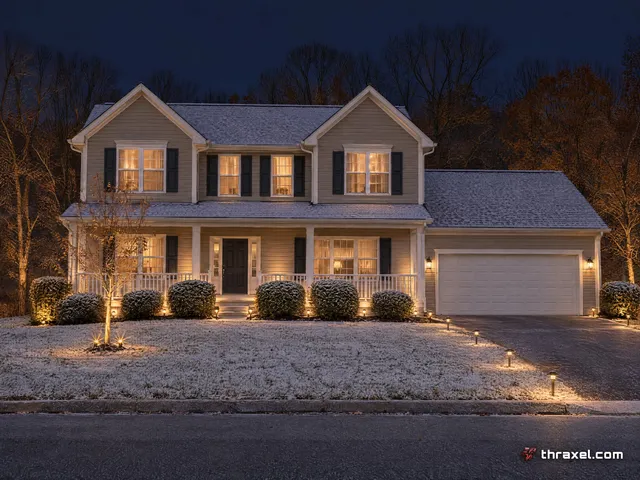
On autopilot
Setting a lighting schedule that runs itself
A schedule set once inside the Thraxel Lighting app keeps a roofline lighting itself night after night, starting near sunset and shutting off at whatever time a household picks.

Why scheduling matters more than it sounds like
The appeal of permanent lighting is not having to think about it, and scheduling is where that promise actually gets delivered. Set a start and stop time once and the system runs itself every night after, no phone required. Full detail on the system itself is at thraxel.com/permanent/.
Sunset shifts by roughly an hour and a half across a Western Pennsylvania calendar year, from a summer sunset near 9 p.m. to a winter sunset before 5 p.m. A fixed clock-time schedule would either run lights in daylight half the year or leave the house dark after dark the other half.
That is the specific problem sunset-based scheduling solves. Instead of a fixed time, the schedule anchors to sunset itself and adjusts automatically as the days shorten or lengthen through the year.
How sunset scheduling works in practice
A homeowner sets an offset from sunset rather than a clock time, on at sunset or a set number of minutes after, and the app handles the rest as the actual sunset time moves through the seasons.
Shutoff time is usually a fixed clock time chosen for the household's routine, an 11 p.m. cutoff on a weeknight, later on weekends, though it can also be tied to sunrise for a system meant to run overnight. Weekday and weekend schedules can differ too, so a household does not have to pick one cutoff for every night of the week.
Zones can run different schedules. A front roofline in an HOA neighborhood with an early lighting expectation can shut off before a backyard patio zone still hosting people outside.
Where astronomical timers fit
Landscape lighting on the same property often runs on astronomical timers, a closely related idea that adjusts automatically with the solar calendar. See thraxel.com/landscape/ for how astronomical timers are used on landscape zones, and how the two approaches pair well on a property running both a roofline and a landscape system.
The practical difference is where each lives. A roofline scene schedule is set inside the Thraxel Lighting app alongside colors and scenes, while a landscape zone's astronomical timer is typically part of the fixture wiring itself, adjusting without needing an app open at all.
Overrides and exceptions
A schedule is a default, not a lock. Any saved schedule can be manually overridden from the app for a one-off late night, a party running past the usual cutoff, or a holiday that calls for lights staying on longer than normal.
Voice assistants layer on top of a schedule the same way, letting a household ask for lights on early on a dark, stormy afternoon without needing to open the app and adjust anything permanently. See thraxel.com/blog/alexa-google-homekit-lighting-control/ for how that pairing works.
Setting it up during onboarding
Schedules get built during the same onboarding window as the rest of the app setup after install, so a system typically leaves the driveway already running on autopilot rather than requiring the homeowner to configure anything from scratch.
Anyone who wants a specific schedule, an early shutoff for a light sleeper in the house or a later one for a household that entertains, can ask for it to be set during the final walkthrough.
A schedule already in place also makes a house feel occupied while a family is traveling, since the roofline keeps coming on at the same time every evening whether anyone is home to trigger it manually or not.